How to Ship a SaaS in 48 Hours: The 2026 Vibe Coder Playbook
A concrete hour-by-hour playbook for shipping a real, paying SaaS MVP in a weekend with AI tools. The exact stack, the order of operations, the parts to skip, and the parts that get you to your first paying customer.
Forty-eight hours is enough time to ship a real, paying SaaS MVP — not a great one, just a real one. This is the hour-by-hour playbook indie builders use in 2026 to go from "idea I had on Friday" to "paying customer on Sunday night." The stack is short. The scope is brutal. The discipline is non-negotiable.
You will not build a great product in 48 hours. You will build a small, working, charge-money-from-real-people version of an idea — and you will learn more about whether the idea has a pulse than you would in three months of "thinking about it."
TL;DR — the rules
- One screen, one button, one core action. If you cannot describe the MVP in one sentence, it is too big.
- The stack is fixed: Next.js, Tailwind, shadcn/ui, Supabase, Stripe Checkout, Vercel, Cursor or Claude Code. No religious wars about alternatives.
- Hour-by-hour budget — Friday night narrows the idea, Saturday builds the core, Sunday polishes and ships.
- Charge from day one. No "free for now, monetize later." Real money sorts real demand from polite interest.
- Skip everything that is not the core loop. No dark mode. No admin panel. No mobile app. No custom domain on day one.
The stack — do not overthink this
The exact stack we use, no flexibility on day one. Switch later if a project demands it; do not switch *while* shipping the MVP.
- Frontend: Next.js (App Router), Tailwind, shadcn/ui
- Backend: Next.js API routes — same project, no separate server
- Database & auth: Supabase (Postgres + auth + storage, free tier)
- Payments: Stripe Checkout, one product, one price
- Hosting: Vercel, deploy on push
- AI editor: Cursor or Claude Code — see the head-to-head if you have not picked one
- Scaffolding: v0.dev for the landing page, Bolt.new if you want a full-app scaffold in 10 minutes
This is the same stack we recommend in The vibe coder's stack 2026. The point: pick once, never debate again.

Friday night, hours 1-6 — narrow until it hurts
The single biggest reason weekend MVPs fail is they are too big when they start. Friday is for cutting, not building.
The narrowing exercise
- Pick a problem you had personally in the last 30 days. Not "a problem I imagine other people have." A real, recent, lived problem.
- Write the single sentence a user would type to describe the problem. ("I keep losing track of which client I owe a proposal to.")
- Write the single button that solves it. ("Show me which clients are waiting on me.")
- Draw it on paper. One screen, one button, one list of results.
- Stop. If you have more than one screen on the paper, you are too big.
The fail modes Friday
- "Eventually we could also..." Strike every sentence that starts with this. They are graveyard markers.
- Onboarding flows. No account-setup wizards. Sign up, drop into the screen, done.
- Settings. No settings screen. None. Defaults are your settings.
- Dashboards. No dashboards. The "main screen" is the dashboard. Don't double up.
- Choosing the perfect domain.
yourapp.vercel.appis fine for the weekend. Buy a domain later if there is a *later*.
End Friday with paper sketches and a single sentence describing what the user can do. If you cannot fit the user value on a Post-it note, go to bed and start over Saturday.
Saturday morning, hours 7-14 — scaffold
Saturday morning is for fast scaffolding. Move quickly. Resist the urge to perfect anything.
Step 1: scaffold the project (30-60 minutes)
pnpm create next-app@latest. Pick App Router, TypeScript, Tailwind. Add shadcn/ui via the CLI. Open the project in Cursor or Claude Code.
If you want a faster start, scaffold the landing page in v0.dev — see 10 v0.dev prompts that convert for the prompt shapes that work — and pull the code into your repo.
Step 2: wire Supabase auth (45-60 minutes)
Supabase project, email magic-link auth, no Google or GitHub on day one. The fewer auth options, the fewer edge cases. Add OAuth providers in week two if there is a week two.
`` pnpm add @supabase/supabase-js @supabase/ssr ``
Wire one server-side helper, one client-side helper, and a middleware that protects /app/* behind auth. Test once with your own email. Move on.
Step 3: build the one screen (3-4 hours)
The screen has:
- A header (logo + sign-out button)
- A primary action button
- A list or result area below the button
That is it. No tabs. No sub-pages. No collapsible sidebar. If your AI editor proposes any of those, say no.
Seed three rows of fake data so the screen has something to show. Tell the model: "Hardcode three example items so I can see the layout. We will replace with real data after the database is wired."
Step 4: wire one database table (60-90 minutes)
One table. One foreign key to the user. The columns you absolutely need and zero columns you might want. Migrations later. Right now, the SQL editor in Supabase is fine.
End Saturday morning with a deployed-to-Vercel preview of an authenticated screen showing fake data. If you do not have that by lunch, you are behind.
Saturday afternoon, hours 15-22 — the core loop
The core loop is the *one action* the user takes that creates value. Build it end-to-end before anything else.
The end-to-end discipline
- Click button → action runs.
- Action completes → data is stored.
- Data is stored → UI updates to show it.
- User can see the result of their action without refreshing.
That loop is your product. Everything else is decoration.
Build it. Run it. Use it like a real user would. Find the parts that feel broken or wrong. Fix the worst three.
What to skip Saturday
- Settings page. No.
- Profile page. No.
- Dark mode. No.
- Admin panel. No.
- Notifications. No.
- Search. No.
- Pagination. No, until you have more than 50 items.
If your AI editor wants to generate any of those, redirect it. The prompt is "we are building only the core loop. Do not propose features beyond what I asked for."
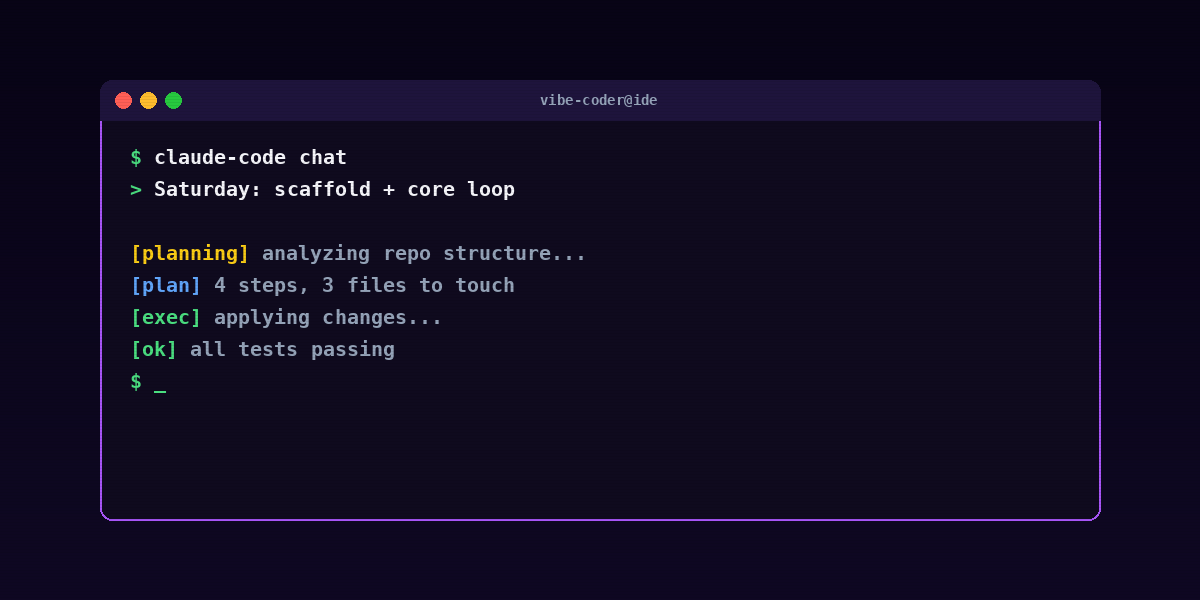
Saturday evening, hours 23-28 — payment
You cannot ship a SaaS without taking money. Stripe Checkout is the fastest path.
Stripe in 90 minutes
- One product, one price (monthly).
- A "Subscribe" button that calls a server-side API route.
- The API route creates a Stripe Checkout Session and redirects.
- A success page that grants access in your Supabase database.
- A failure page that says "something went wrong, here is a contact link."
Use Stripe's test mode tonight. You flip to live tomorrow.
What to skip on payments
- Coupons. No.
- Annual plans. No, until you have monthly traction.
- Multiple tiers. One tier, one price, one button.
- Custom invoicing. No.
- Tax handling. Use Stripe Tax in test mode and turn it on for live mode tomorrow.
By Saturday night you should have: a deployed app, magic-link auth, a working core loop, and a Stripe Checkout flow that takes test-mode money and grants access.
Sunday morning, hours 29-36 — the ugly parts
The ugly parts are the difference between "demo" and "software." Most weekend MVPs fail Sunday morning because they tried to add features. Don't.
What to harden, in order
- Error handling. What happens if the API fails? If Stripe times out? If Supabase rate-limits you? Each error path needs a UI message that does not say "undefined."
- Loading states. Spinners or skeletons on every async action. Disable submit buttons during requests.
- Empty states. What does the user see when they have zero items? "Empty state" is also a feature.
- Rate limiting. Anything that calls a paid API (OpenAI, Stripe, email) needs a per-user cap. One bad actor with a script can drain a free tier in minutes.
- Terms of service. One paragraph. Generated. Linked from the footer.
- Privacy policy. One paragraph. Generated. Linked from the footer.
- A real "from" email. Resend, Postmark, or SendGrid. Magic links from
noreply@yourapp.vercel.appget caught by spam filters.
What still doesn't matter Sunday morning
- Dark mode (still no)
- A mobile app
- A logo that is not just text
- An About page
- A Press page
- Custom 404 art
- An admin dashboard
Sunday morning's job is *make it not embarrassing*, not *make it complete*.
Sunday afternoon, hours 37-44 — polish + copy
Now you write the words.
The copy pass
- Hero headline. One sentence that describes what the user can do, not what the product is. "Track which clients owe you a reply" beats "AI-powered client relationship management."
- Hero subhead. One sentence on who it is for. "For freelancers and agency owners with 5-50 active clients."
- One CTA. Above the fold. "Get started — $19/mo."
- One screenshot. Of the actual product. Not a dribbble-quality mockup. The real screen.
- Three feature blocks. Three short paragraphs each describing a real feature with a verb-first title.
- Pricing block. One tier. One price. The button is "Start your subscription," not "Start free trial."
Rewrite the headline once. Then rewrite it again. Then leave it alone.
Show one human
This is the most-skipped step and the most important. Show the working app to one human. Watch them use it. Do not narrate. Do not help. Watch.
The thing they get stuck on is the bug you fix Sunday night. Not "the typo on the third line." The thing.
Sunday evening, hours 45-48 — ship
The last three hours are mechanical. Move fast.
The shipping checklist
- Flip Stripe to live mode. Update the publishable and secret keys. Retest the Subscribe flow with a real card and a $1 test product. Refund yourself.
- Deploy to Vercel. Push to main. Vercel deploys. Watch the build complete.
- Smoke test the live URL. Sign up. Trigger the core loop. Subscribe. Cancel.
- Post it in one place. Twitter/X, Indie Hackers, or a subreddit where your target users actually hang out. Pick one. Don't post in seven places — diluted attention is no attention.
- Send it to one specific person you know would use it. A direct ask is worth more than 100 impressions of a public post.
- Charge user number one. They might be your first customer. They might be your only customer. Both are wins compared to the demo that never shipped.
What "ship" actually looks like in the data
A few honest numbers from indie builders running this playbook:
- About half of weekend MVPs find one paying customer in week one.
- About a quarter find ten paying customers in month one.
- A small handful find a hundred paying customers in month three.
- The rest die. That is fine. The cost was one weekend. The lessons compound.
The builders who run this loop every month for a year are the ones who eventually find the project that sticks. The ones who spend six months "planning" the perfect MVP find nothing.
Common pitfalls
"I want to add just one more feature before launching"
No. The feature you "really need" before launch is almost always a feature you can add in week two — *if* there is a week two. Ship now. Let real users tell you what to add.
"My code is messy"
It is. So is everyone's. Production codebases at small companies are messy. The customer does not look at your code. They look at whether the button does the thing.
"I'm worried about scaling"
You will not have a scaling problem this week. If you have one in month six, that is the best problem to have. Vercel and Supabase will absorb your first 10,000 users without configuration changes.
"I don't know how to do X"
Ask Claude Code. Ask Cursor. Ask Bolt.new. The whole point of vibe coding is the AI handles the parts you don't already know. See What is vibe coding for the workflow.
"I want to be sure people will pay"
The only way to be sure is to charge them and watch what happens. Surveys, landing-page email captures, and "would you pay for this" conversations are noise. Stripe receipts are signal.
FAQ
Can I really ship a paying SaaS in 48 hours?
Yes — if you scope it ruthlessly to one screen, one core action, one price, and you accept that "shipped" means "real users can give you real money," not "feature-complete."
Do I need to know how to code?
You need enough literacy to read what the AI produces and judge whether it is correct. You do not need to type fast. The model handles the typing.
What's the cheapest stack to run a 48-hour SaaS on?
Vercel free tier ($0), Supabase free tier ($0), Stripe (free, takes 2.9% + 30¢), domain ($12/year if you buy one), Cursor or Claude Code ($20-40/month). Total weekend cost: $0-50.
What if I miss the 48-hour window?
Ship Monday morning. Ship Tuesday night. The hour count is a forcing function, not a sacred deadline. The point is to compress the time between idea and live URL — not to martyr yourself if life intervenes.
Should I charge from day one or offer a free tier?
Charge from day one. Free tiers attract people who are not your customer. A $19 monthly price filters in 10 minutes for who is serious. You can introduce a free tier later when you understand what genuinely costs you nothing to give away.
What about marketing?
Post in one place where your audience already lives. Not seven. The energy you have on Sunday night is enough for one post. Spend it well.
What's the role of AI in 48-hour shipping?
Central. The reason this playbook is now possible at solo-founder scale is that AI editors compress the keystroke time enough that one weekend is enough. Five years ago this was a six-week project. Now it is a sprint.
The bottom line
You will not build a great product in 48 hours. You will build a real one — and "real" beats "great-but-imaginary" every time, because real is the thing the market gets to vote on.
Close this tab. Open a notebook. Write the one sentence. Pick the button. Build the thing.
For deeper context on the workflow: What is vibe coding, From prompt to production: a Next.js walkthrough, and 30 real vibe coding examples for inspiration. When you are ready to add an AI agent layer to your SaaS — Telegram, Discord, WhatsApp — see 30 AI agent ideas you can deploy in 60 seconds and RapidClaw for the hosting. For weekly AI-tooling coverage, humanai.news.