11 Claude Code Tricks Every Vibe Coder Should Steal in 2026
Eleven Claude Code shortcuts, agent patterns, and prompt moves that compound. All tested across hundreds of hours of real shipping work — the session opener, the plan-first habit, the rejection rules, and the underrated tricks most users never find.
After hundreds of hours in Claude Code, eleven habits separate "shipping fast" from "fighting the tool." This is the deep dive on the patterns that actually compound — the session opener, the plan-first move, the dependency rejection rule, the git-as-undo pattern, and the underrated tricks most users miss.
These aren't shortcuts. They're the meta-skills that decide whether the agent ships with you or around you.
TL;DR — the 11 tricks
- Prime the session with a repo map — make the agent build its mental model before touching code.
- Plan first, then act — never let the agent write code without an approved plan.
- Point at the failing test, not the bug — success criteria beat error descriptions.
- Reject dependencies by default — "use only built-ins" is a magic phrase.
- Ask for the diff before the commit — narrated diffs catch their own bugs.
- Use git as your undo button — commit per logical change, reset hard when confused.
- Split sessions by concern — frontend session and backend session don't mix.
- "Tell me what's wrong with this code" — honest critique without an edit bias.
- Maintain a NOTES.md scratch file — long sessions need an external memory.
- Use it for boring stuff first — sharpen on low-stakes work before high-stakes.
- Run tests on every step — slow per step, fast overall.
The session opener that ties them together is at the bottom.
1. Prime the session with a repo map
Start every non-trivial session with:
Before we touch anything, give me a 10-line map of this repo. What does each top-level folder do? What's the entry point? What's the dependency hierarchy?
The agent builds its own mental model. You read the map. You correct what's wrong. Now every subsequent edit comes from a clearer base.
Why it works: without priming, the agent forms a mental model passively while editing — and you can't see the model, so you can't correct it. The 90 seconds you spend on the map saves 30 minutes of mid-edit confusion.
2. Plan first, then act
For anything non-trivial:
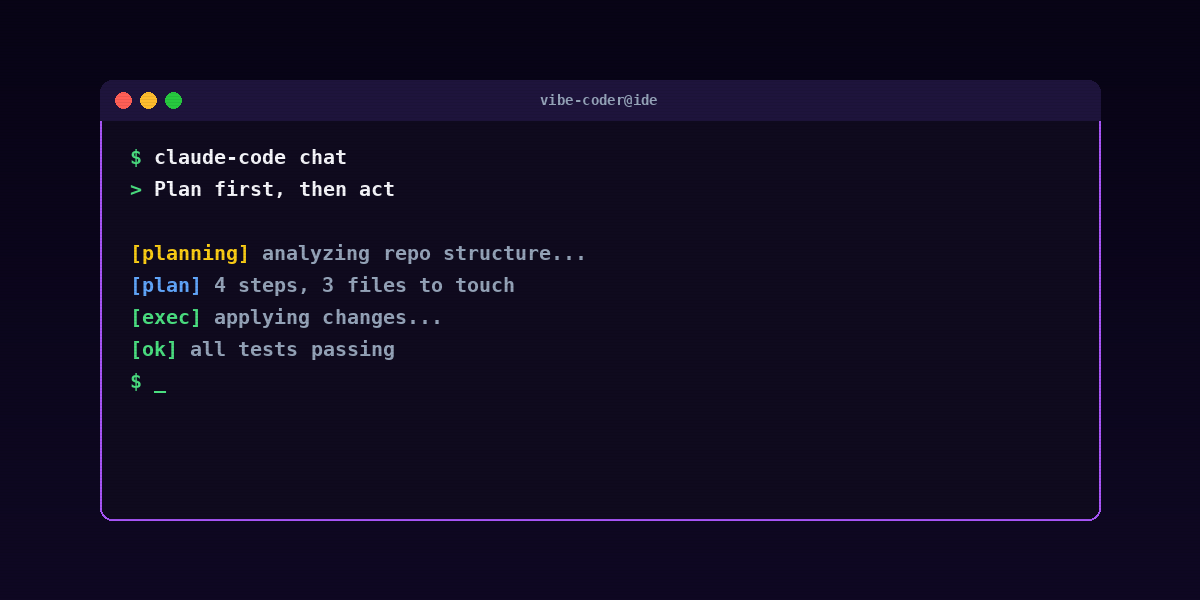
Do not write any code yet. First, list the files you would touch and the changes you would make to each. I will approve, then you execute.
This is the single trick that has saved me from the most bad edits. The agent's plans are usually clearer than the code that follows — you can spot a "wait, why are you touching that file?" in 10 seconds, and 10 seconds of plan-time saves 10 minutes of revert-time.
The exception: truly trivial edits. "Rename this variable everywhere" doesn't need a plan. The threshold is roughly "would I want to read the diff before committing?" — if yes, plan first.
3. Point at the failing test, not the bug
Telling the agent what success looks like is always stronger than telling it what's wrong.
Bad: > The login is broken — users get redirected to /home instead of the dashboard.
Better: > This test is failing — __tests__/auth/redirect.spec.ts > "redirects to /dashboard after login". Read the test, then fix the implementation to pass it.
The test is an unambiguous spec. The bug description is a fuzzy spec. Models execute much better against unambiguous specs.
If a test does not exist, write it first (even a one-line one) and let the agent fix the implementation against it.
4. Reject dependencies by default
Add to every session opener:
Do not install any new npm packages without asking first. Prefer Node built-ins. If you think a package is necessary, propose it and wait for approval.
Models love to reach for new libraries. You usually do not need them. Each new dependency is a security risk, a maintenance commitment, and a future audit item. See 13 vibe coding security mistakes for the deeper threat model.
The phrase "use only built-ins" is the second-most-useful sentence in vibe coding (the first is "plan first").
5. Ask for the diff before the commit
Before you accept a multi-file change:
Show me the full diff you are about to commit, and explain why each hunk is there.
Claude Code will happily narrate its own changes. That narration catches bugs — when the agent describes a hunk and you realize the description doesn't match what the hunk does, you've caught a misunderstanding before it lands.
This is also the single best way to learn an unfamiliar codebase: ask the agent to walk you through every change it's about to make.
6. Use git as your undo button
Make the agent commit frequently. One commit per logical change. Then git reset --hard HEAD~1 is your undo button.
The right shape:
- Commit message format:
feat: <one-line summary>orfix: <one-line summary> - One commit per logical unit of work (one feature, one fix, one refactor)
- Push to a feature branch, not main, so you can iterate
Losing 20 minutes of experimentation to git reset is much better than untangling an agent-made knot. The willingness to throw away work is a superpower.
7. Split sessions by concern
Run one Claude Code session for the frontend and another for the backend on the same repo. Each session builds a cleaner mental model without cross-contamination.
The pattern:
- Session A: "We're working on the React UI in
/app. We are not touching API routes or database code." - Session B: "We're working on the API routes in
/app/api. We are not touching React components."
Why it works: agents conflate concerns when given mixed scope. Strict scope produces sharper edits.
For multi-package monorepos, the same principle applies — one session per package.
8. "Tell me what's wrong with this code"
A surprisingly powerful prompt:
Drop the contents of <file> here. Critique it. Style issues, edge cases, performance footguns, anything you'd flag in a senior code review. Don't propose changes — just review.You get an honest critique without the pressure of an edit request biasing the response. Use this:
- On code you wrote yourself, before asking the agent to refactor.
- On code from a colleague, before reviewing in PR.
- On code the agent wrote in a previous session, before continuing.
The "don't propose changes" instruction is what makes it work. Otherwise the agent jumps to fixing rather than diagnosing.
9. Maintain a NOTES.md scratch file
On long tasks, tell the agent:
Maintain a NOTES.md file in the repo root summarizing the plan, decisions made, open questions, and known issues. Update it after each major step.The session becomes more coherent because the agent literally reads the file back to itself each turn. The file also becomes a useful artifact for the next session — drop a fresh agent into the repo, point it at NOTES.md, and it picks up where the last session left off.
For multi-day projects, this is a game-changer. Without it, each new session starts from scratch.
10. Use it for the boring stuff first
Before you use Claude Code on a novel feature, use it on the boring stuff:
- Test generation (especially unit tests for existing functions)
- README updates
- JSDoc / docstrings
- Dependency upgrades (
pnpm outdated→ patch versions → minor → major) - "Rename this thing everywhere"
- Adding TypeScript types to untyped files
- Codebase audits ("which files have no tests?")
Why: you learn the agent's strengths and quirks on low-stakes work where mistakes are cheap. By the time you're using it for high-stakes work — production refactors, security-sensitive code, money-touching paths — your instincts are sharper.
The first week with Claude Code should be 80% boring jobs and 20% novel features. Reverse the ratio after a month.
11. Run tests on every step, not at the end
The instruction:
After each file you change, run the relevant test and report the result before moving on.
Slower per step. Way faster overall. You catch breaks where they happen instead of bisecting them later.
This pairs especially well with #3 (point at the failing test) and #6 (commit per change). The trio — test-first, plan-first, commit-per-change — covers most of the difference between "smooth session" and "tangled mess."

Bonus — the session opener I actually paste
I copy a variant of this into the start of every Claude Code session:
We are working on [project name]. The stack is [Next.js, Tailwind, Supabase]. I want to [build feature / fix bug / refactor X].
> > Before touching anything: map the repo in 10 lines, propose a plan, and wait for my approval. Do not install any npm packages without asking. Commit after each logical change with messages following <type>: <one-line> format. Maintain a NOTES.md as we go. Run tests after each file changed. > > Now: give me the repo map.
This single paste sets all the defaults that make the rest of the session behave. The first 90 seconds of a session are 5% of the time and 50% of the outcome.
Underrated tricks that didn't make the top 11
A few honorable mentions worth knowing.
Use `Cmd+L` to clear the chat without losing the working directory
When the conversation gets confused but you don't want to start over from scratch, clear the conversation but stay in the same project state. Useful for "the agent is going in circles" moments.
Pipe shell command output back to the agent
pnpm test failing? gh pr view 42 --json comments? Pipe the output and ask:
Here is the failing test output. Here is the PR review. Read both and fix the failures one by one.
Models work much better with concrete output than with paraphrased descriptions.
Use `--continue` for cross-session memory
Claude Code's --continue flag picks up where a session left off. Combined with NOTES.md, this is the closest thing to true persistent memory the tool has.
Pin the model
Specify the exact model version in your config, not "the latest." Newer models change behavior in ways that can break carefully-tuned prompts. Pin and upgrade deliberately.
Ask the agent to explain its own commits
Read the last 10 commits on this branch and write a release note summarizing what changed.
Useful for status updates, PR descriptions, changelogs.
Common mistakes
Letting the agent run without commits
If you let the agent stack 20 changes before committing, you've lost the ability to reset cleanly. Force commits per logical change, even if it feels excessive.
Believing the agent's narration over the diff
The agent says "I added a null check on line 47." The diff actually adds a null check on line 47 *and* changes a variable name on line 51. The narration is a summary, not the truth. Always read the diff, not the narration.
Using one session for the whole project
Sessions get less coherent over time. Even with NOTES.md, after 4-5 hours of work the model starts drifting. Better to commit, take a break, start fresh.
Treating the agent as a senior engineer
The agent types fast and reads fast. It does not have your domain knowledge, your team's conventions, or your customers' edge cases. Treat it as a junior engineer with great typing speed — clear context, clear goals, visible work, short leash until trust compounds.
Not iterating on the prompt
If a session went badly, the prompt is usually wrong, not the model. Look at what context was missing or what instruction was ambiguous. The next session improves.
FAQ
Is Claude Code better than Cursor for these tricks?
Most of these tricks apply to both — plan-first, reject dependencies, commit per change, point at the test. Some are more terminal-native (the session opener paste, NOTES.md as scratch file) and feel cleaner in Claude Code. See the head-to-head.
Do these tricks apply to Cursor's composer?
Yes — modify the syntax slightly. The session opener pastes into the composer chat. The plan-first habit works the same. The git/test/commit discipline is editor-agnostic.
How long does it take to develop these habits?
The first 5-10 sessions feel awkward. By session 20, the patterns are automatic. The first week, expect to ship 20% slower than before — by month two, expect 2-3× faster on the right kinds of work.
Are there project types where these tricks don't help?
Trivial scripts and one-off jobs don't need the discipline. Anything bigger benefits. The bigger the project, the more these compound.
What about for a team using Claude Code together?
The tricks scale to a team — but the team needs shared conventions. Add a CLAUDE.md (or similar) at the repo root with the team's session opener, dependency rules, and commit-style preferences. Every team member's session starts from the same baseline.
Should I use Claude Code for security-critical code?
Use it as a typing accelerator and a reviewer, not as the final author. Every line of security-critical code (auth, payment handling, secret management) gets a manual review beyond what the agent did. See 13 vibe coding security mistakes.
What's the most underrated trick on this list?
Number 9 — the NOTES.md scratch file. Most people don't bother and their long sessions degrade. The 30 seconds per session it takes to maintain the notes is the highest-leverage trick on the list.
The meta trick
None of these tricks are specifically about Claude Code. They are about treating an agent like a junior engineer who types fast — one who needs context, clear goals, visible work, and a short leash until trust compounds. Do that and the agent ships with you instead of around you.
For the broader workflow: What is vibe coding, The vibe coder's stack 2026, and the Cursor vs Claude Code head-to-head.
For weekly AI-tooling coverage: humanai.news. To deploy a personal AI agent in 60 seconds: RapidClaw.